Document Compare & Redlining
See what changed.
Know what matters.
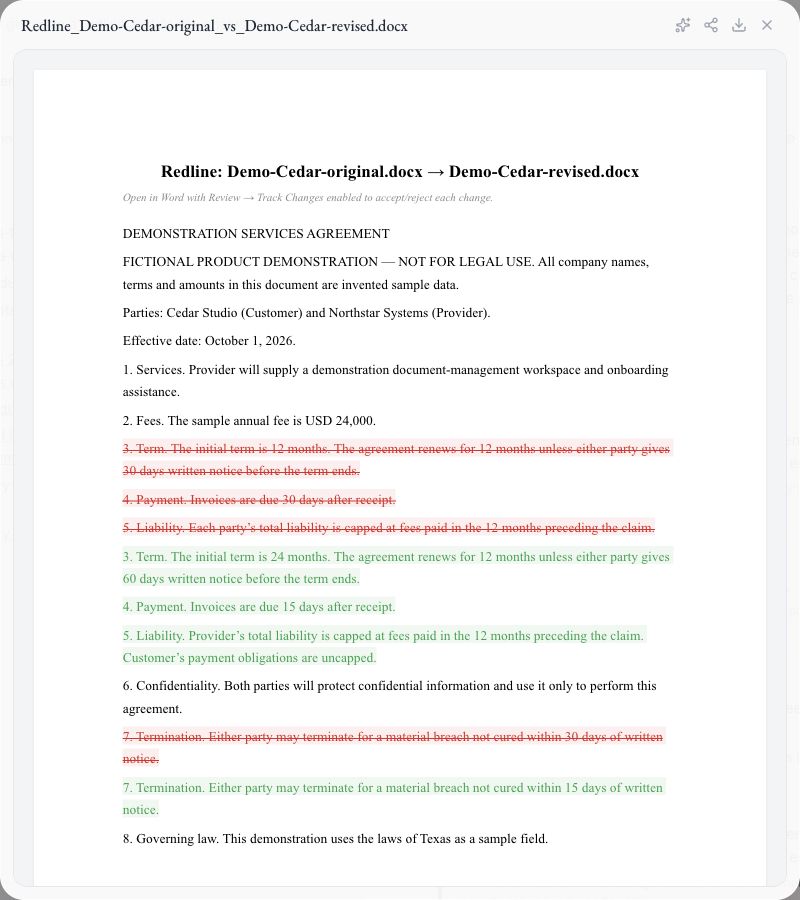
Compare two document versions, inspect changes side by side, and produce a Word redline for lawyer review.
Caleto / Document Compare & Redlining
From context to next step
A clear path
through the work.
- 01
Choose two versions
Select the original and revised DOCX from your library.
- 02
Examine the changes
See paragraph-level differences and the accompanying risk analysis.
- 03
Take the next draft forward
Review and download the redline DOCX for your negotiation.
AI outputs require professional review. Availability, configured sources, provider access and usage depend on your deployment and plan.
Make room for the work that matters
Bring your next
legal question.
Choose Caleto Cloud, Self-Managed or Dedicated Cloud. Plan scope and usage are agreed with your team.