The Caleto workspace
Legal work.
Connected.
From the first question to the next draft. Research, review, compare and organize your work in a workspace built for legal teams.
See the work take shape
Explore Tabular Review ↗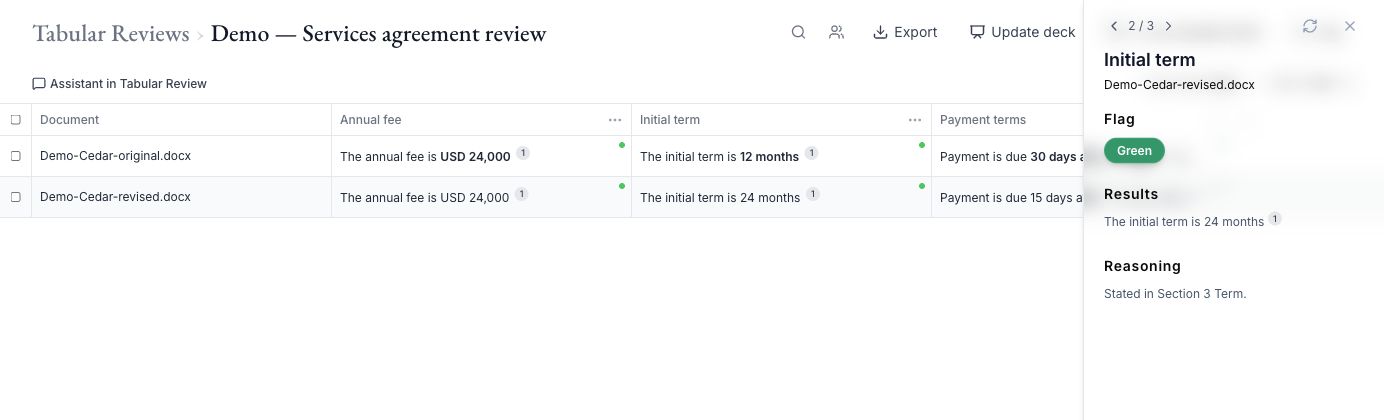
A tool for each part of the work
Go deeper.
Stay connected.
Research & write
Ask questions about your documents, summarize agreements, and draft clauses and legal work product with source references.
Legal ResearchResearch uploaded documents and SEC filings with source references. Case-law and regulatory corpus access is a separately configured add-on, subject to availability.
Review & negotiate
Review agreements against your firm’s rules, preferred positions, and red flags. Publish playbook versions and retain the version used for a review.
Document Compare & RedliningCompare two document versions, inspect changes side by side, and produce a Word redline for lawyer review.
Organize your knowledge
Upload, search, view, and manage your legal documents and versions in one workspace.
Projects & MattersGroup documents and conversations by matter. Ask questions across a matter and create cited deep-analysis reports.
Document Text SearchFind exact phrases across documents and Template Builder files you can access, including earlier document versions.
Review at scale
Make good work repeatable
Save reusable templates, fill document variables, and generate documents from your team’s starting points.
Reusable WorkflowsUse built-in or custom assistant and tabular workflows. Save and share repeatable instructions with your team.
Public Contract TemplatesBrowse publisher-provided contract templates, download originals, and import DOCX files into Template Builder or PDFs into Library. Each publisher’s license and notices still apply.
Keep your team in control
Maintain a contract register, extract key terms, track status and important dates, and review upcoming deadline alerts.
DashboardSee active matters, review findings, upcoming contract deadlines, recent activity, and AI usage from one workspace overview.
Workspace AdministrationManage members, invitations, and roles, control access to shared work, and review workspace usage.
Extend your workspace
Document Compare & Redlining
The details
make the difference.
Move from two versions to a clearer view of what changed. Examine the differences, review the risk analysis, and take a Word redline into your next conversation.
Explore redlining ↗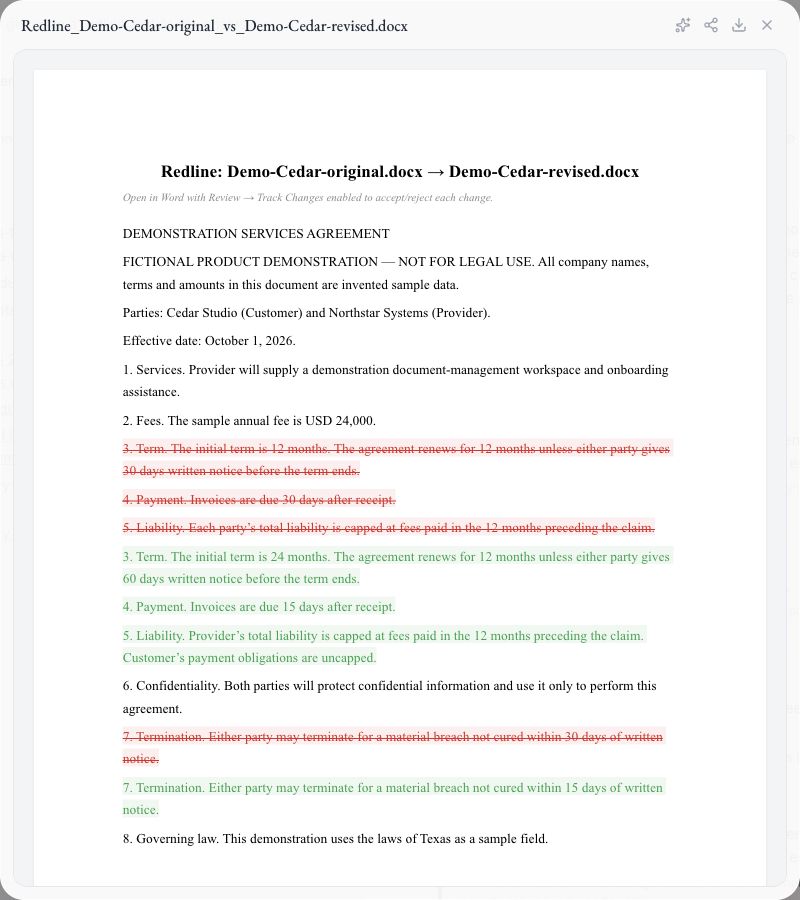
Make room for the work that matters
Bring your next
legal question.
Choose Caleto Cloud, Self-Managed or Dedicated Cloud. Plan scope and usage are agreed with your team.